08-Isaac ROS Object detection
Isaac ROS Object Detection Official Website Link:https://nvidia-isaac-ros.github.io/repositories_and_packages/isaac_ros_object_detection/index.html
Overview
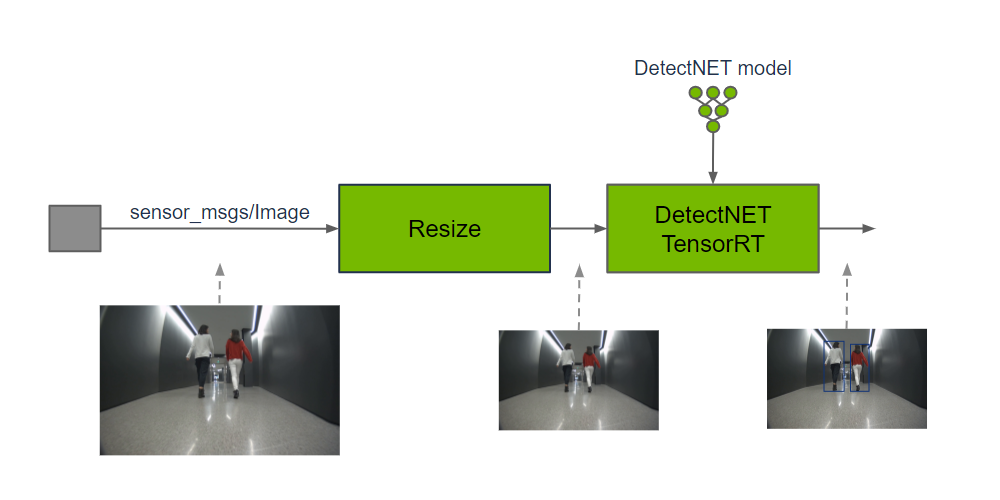
Isaac ROS Object Detection contains ROS 2 packages to perform object detection.isaac_ros_rtdetr,isaac_ros_detectnet, andisaac_ros_yolov8each provide a method for spatial classification using bounding boxes with an input image. Classification is performed by a GPU-accelerated model of the appropriate architecture:
- isaac_ros_rtdetr : RT-DETR models
- isaac_ros_detectnet : DetectNet models
- isaac_ros_yolov8 : YOLOv8 models
The output prediction can be used by perception functions to understand the presence and spatial location of an object in an image.
Quick Experience
To simplify development, we primarily use the Isaac ROS Dev Docker image and demonstrate the effects there. This demonstration does not require any camera device installation; it simulates the data stream from a camera by playing a rosbag file.
Note: If you wish to install on your own device or connect a camera to develop other features, please refer to the Isaac ROS official website and connect to an NVIDIA-specified camera model for your own development.
Open a terminal and enter the working directory.
cd ${ISAAC_ROS_WS}/src
Enter the Isaac ROS Dev Docker container.
cd ${ISAAC_ROS_WS}/src/isaac_ros_common && \
./scripts/run_dev.sh
Run the following startup command.
ros2 launch isaac_ros_examples isaac_ros_examples.launch.py launch_fragments:=detectnet interface_specs_file:=${ISAAC_ROS_WS}/isaac_ros_assets/isaac_ros_detectnet/quickstart_interface_specs.json
Open a second terminal and enter the container.
cd ${ISAAC_ROS_WS}/src/isaac_ros_common && \
./scripts/run_dev.sh \
./scripts/run_dev.sh
Run the following command
ros2 bag play -l ${ISAAC_ROS_WS}/isaac_ros_assets/isaac_ros_detectnet/rosbags/detectnet_rosbag --remap image:=image_rect camera_info:=camera_info_rect
View the run results
Open a third terminal and enter the container
cd ${ISAAC_ROS_WS}/src/isaac_ros_common && \
./scripts/run_dev.sh
Run the following command
ros2 run isaac_ros_detectnet isaac_ros_detectnet_visualizer.py --ros-args --remap image:=detectnet_encoder/resize/image
Open a fourth terminal and enter the container
cd ${ISAAC_ROS_WS}/src/isaac_ros_common && \
./scripts/run_dev.sh
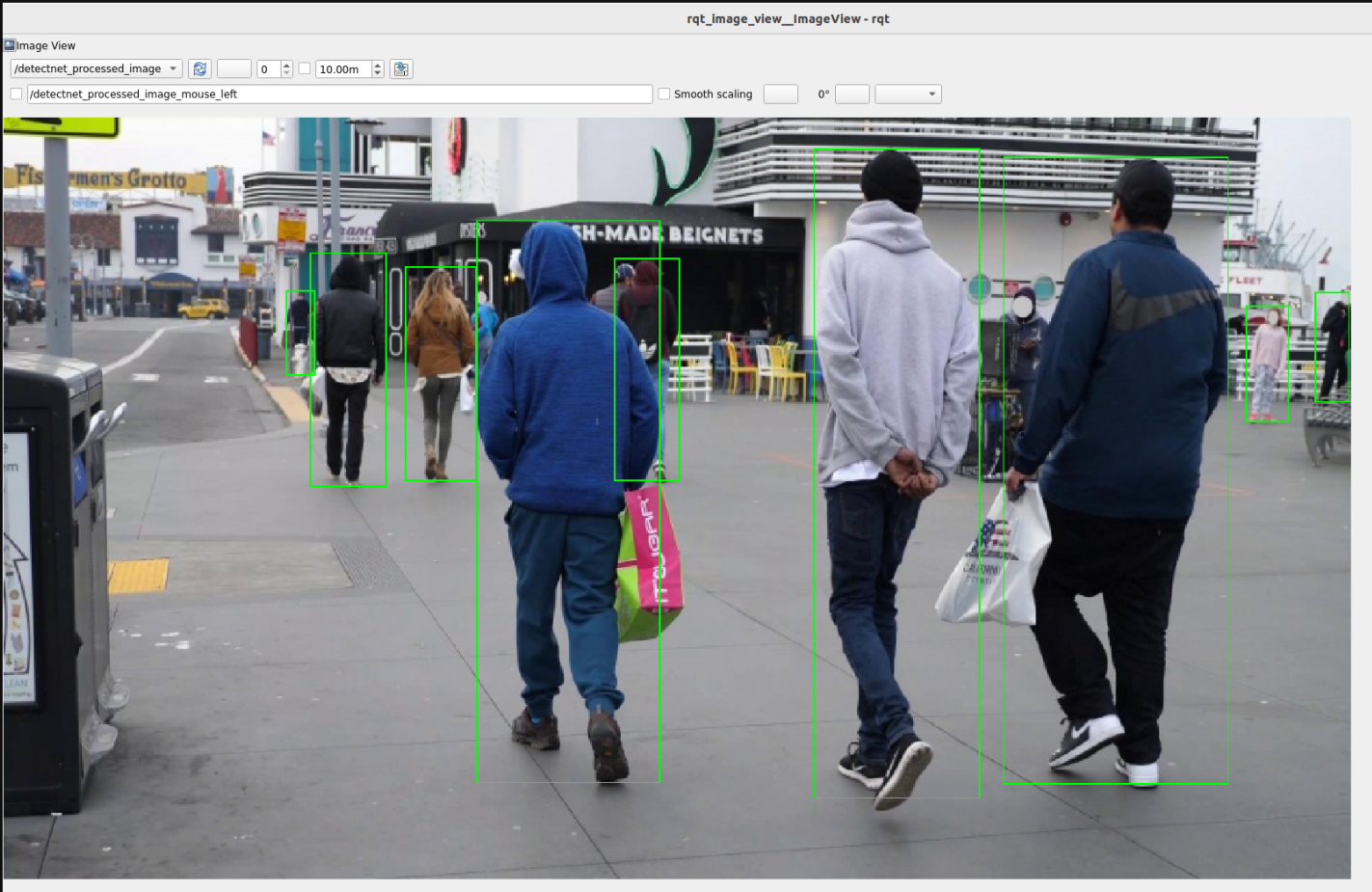
Run the following command to view the results.
ros2 run rqt_image_view rqt_image_view /detectnet_processed_image